
How to Create a Modifier Group
How modifiers work:
A modifier is a single option, like Bacon or Extra Cheese. A modifier group bundles modifiers together, like Pizza Toppings. You attach the group to a menu item as mandatory (the server must pick one) or optional.
Before you start:
Create the modifiers first. See How to Create a Modifier.
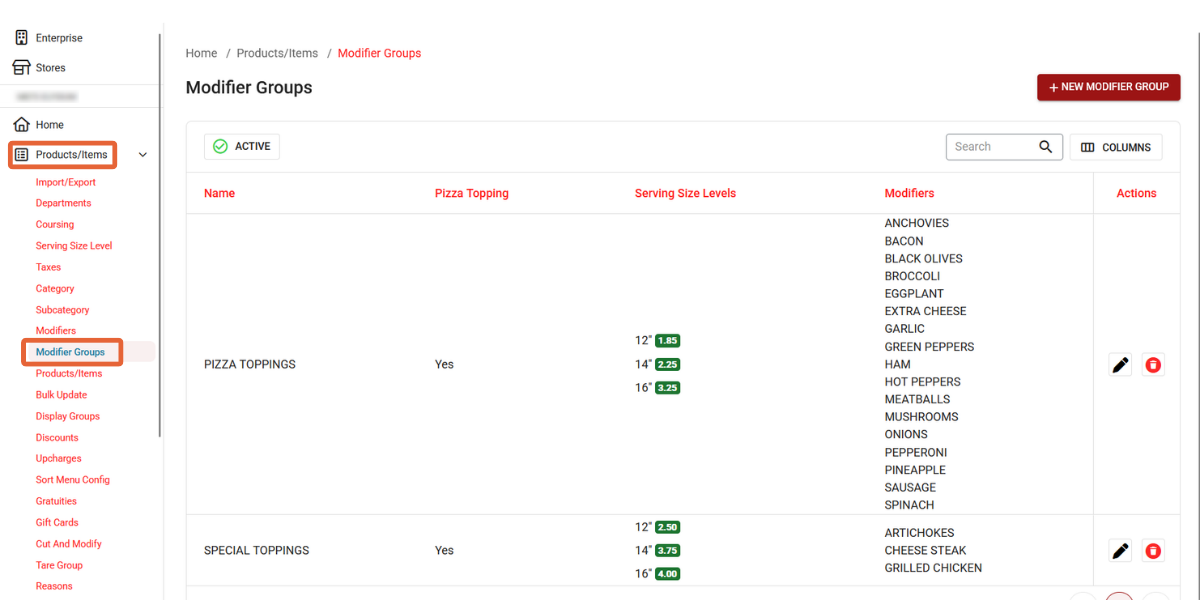
1. Go to Products/Items → Modifier Groups.
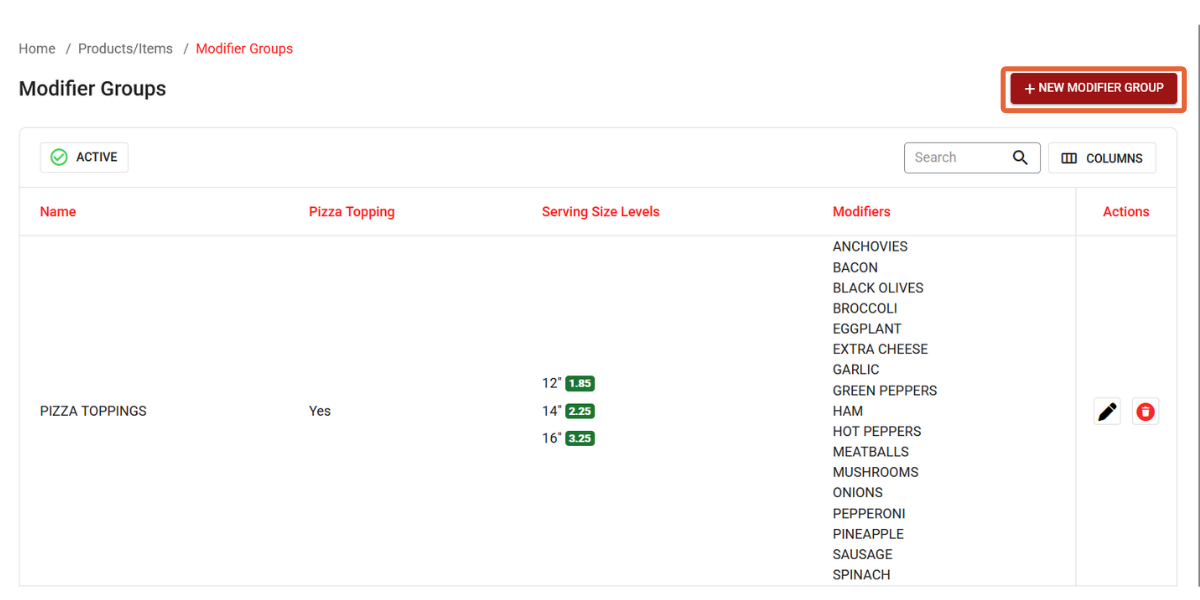
2. Click + New Modifier Group in the top right.
3. Fill in the details:
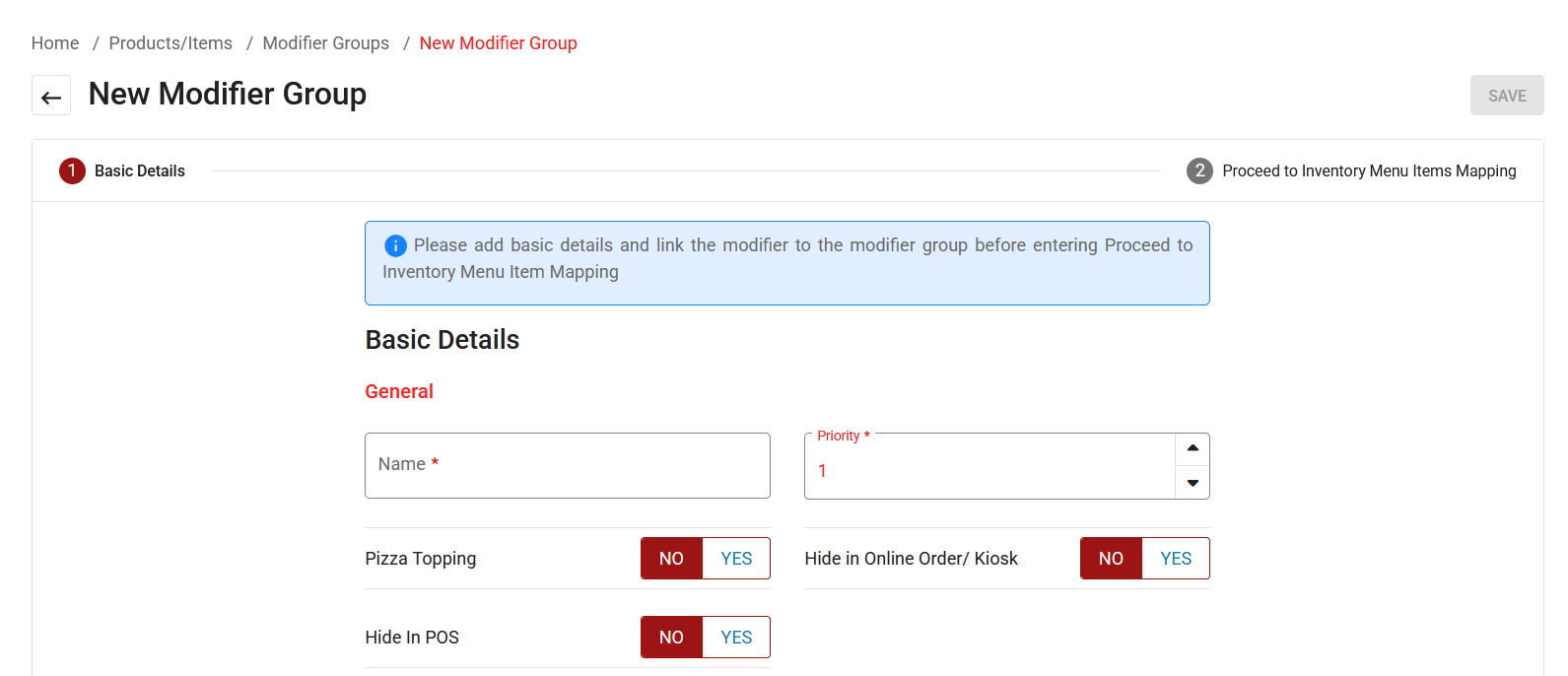
Name (required), like Pizza Toppings
Priority: the order the group appears in on the POS
Pizza Topping: turn on for pizza toppings
Hide in POS / Hide in Online Order/Kiosk: turn on to hide the group there
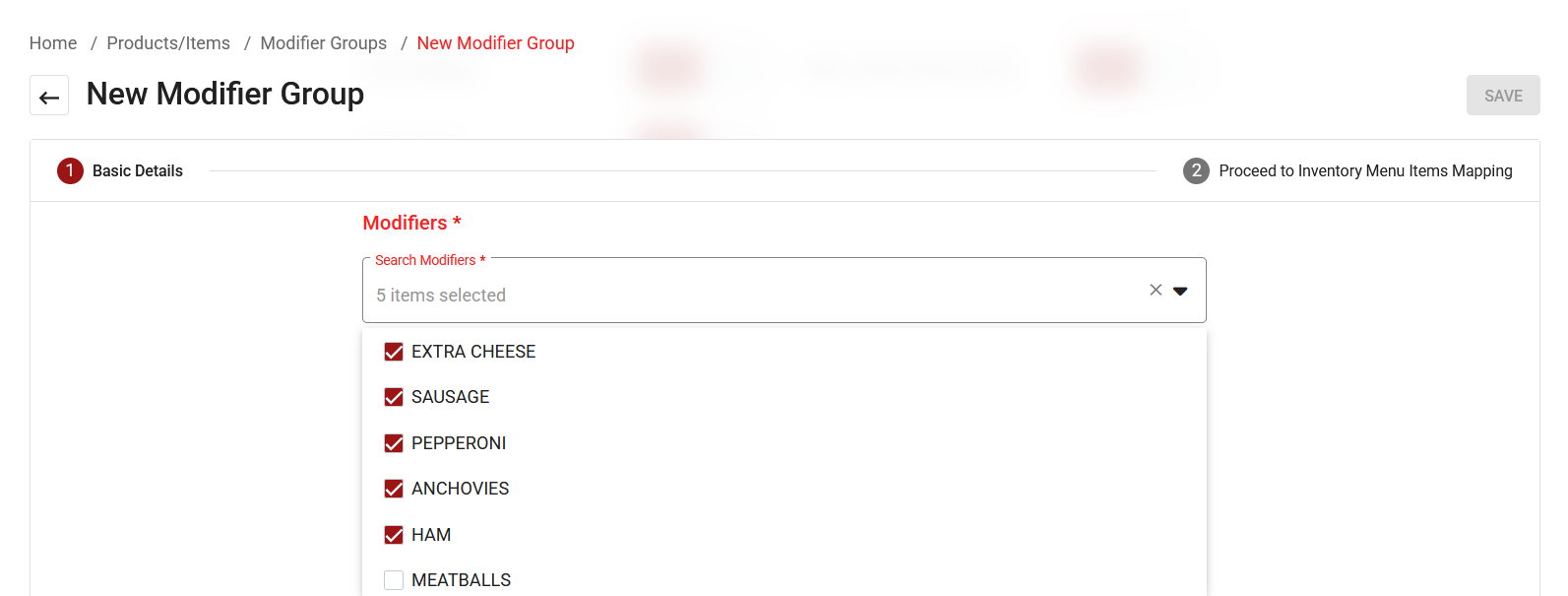
4. Under Modifiers, search for and add each modifier that belongs in the group.
5. Price: turn on Set Price Here to set one price per serving size for the whole group.
For example: 12" $1.85, 14" $2.25, 16" $3.25.
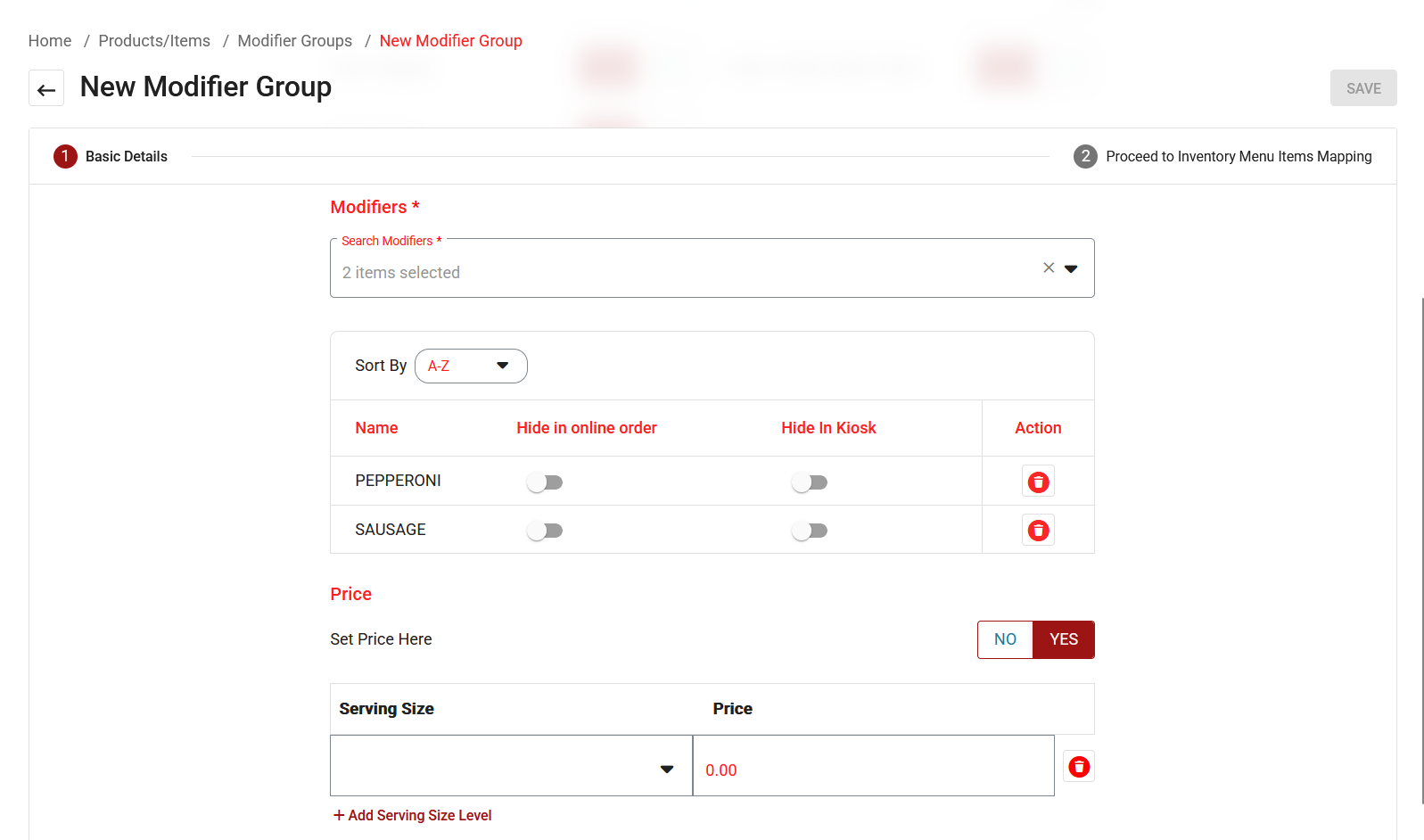
6. Click Save in the top right.
💡 Next step:
Attach the group to a menu item under Mandatory or Optional Modifier Groups in the item's settings. See How to Create a Menu Item.