
Adjusting Credit Card Tips
Add tips from signed credit card receipts in the Batch / Tip Adjustment screen. Make sure all tips are entered before the credit card batch settles.
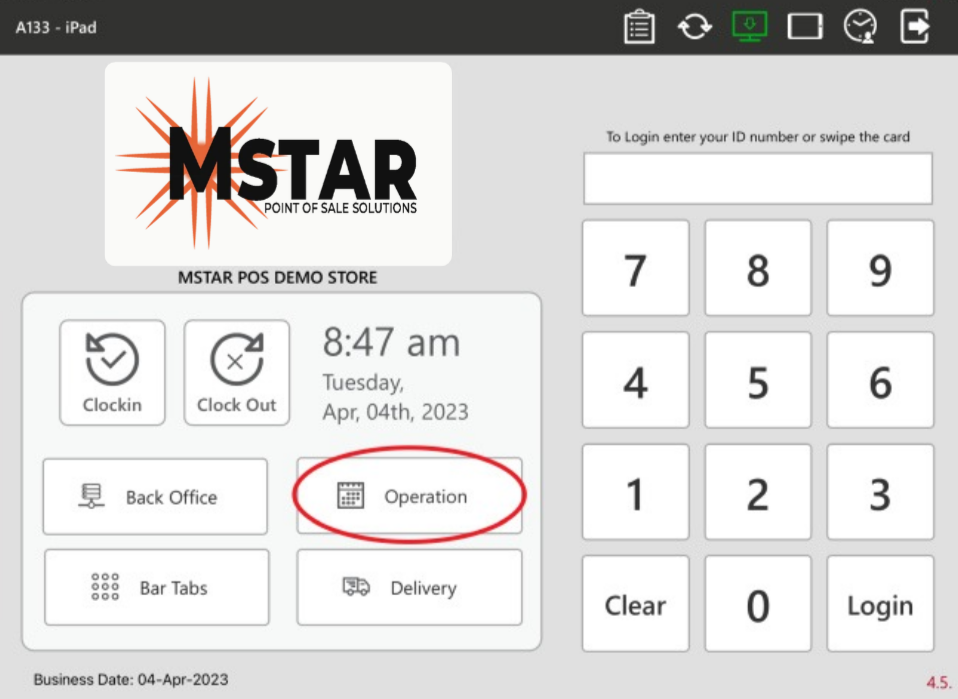
1. On the login screen, enter your user PIN and tap Operation.
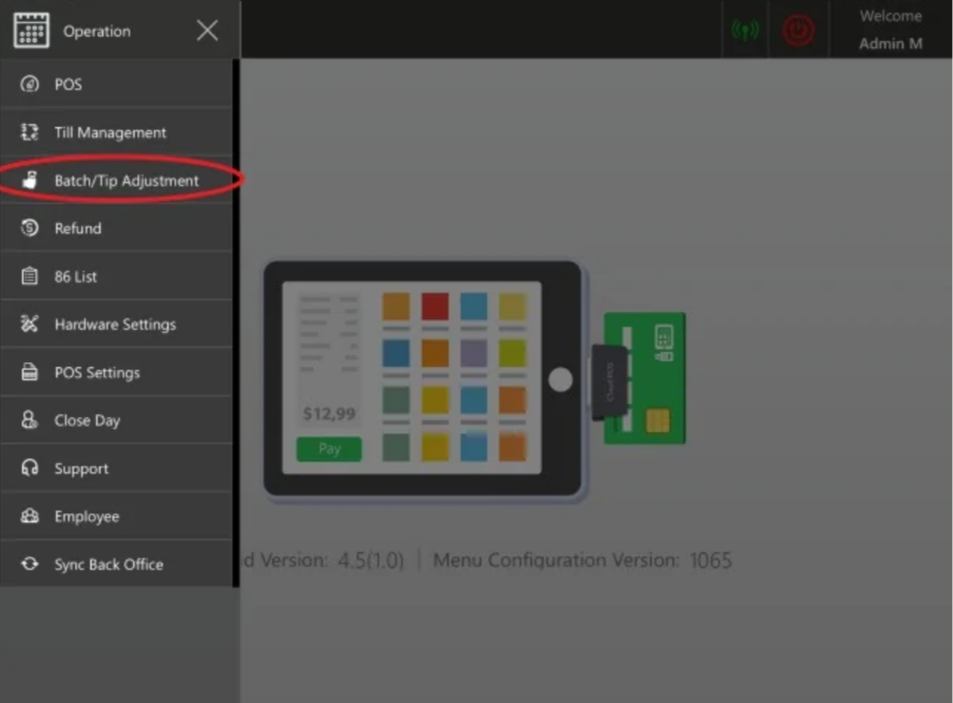
2. Tap Batch / Tip Adjustment.
3. Tap a transaction to select it, then enter the tip.
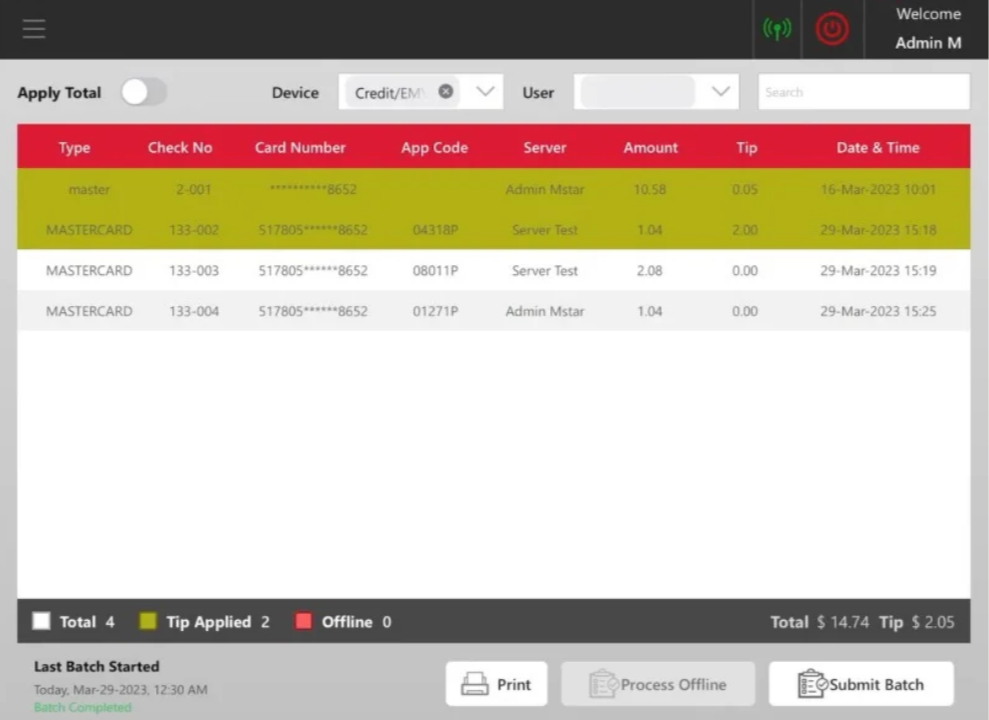
Once a tip is entered, the transaction turns gold. The bar at the bottom shows how many transactions have tips applied.
💡 Good to know
Made a mistake? Tap the transaction again and re-enter the tip.
Need a record? Tap Print at the bottom of the screen to print a batch report.

Settling the batch: If Auto Batch is on (recommended), the batch settles on its own. To settle it manually once all tips are in, tap Submit Batch. See Closing the Day for more.

Watch how to add credit card tips in Batch / Tip Adjustment, step by step. (1 min)